Smart document capture.
Millions of documents a month since launching in 2026. I led the strategy, research and design, and handed over in March 2025.
MY ROLE
Lead product designer Hubdoc and Data-In
WHEN
2024 – Mar 2025
WITH
A PM, a researcher and two engineering leads
LAUNCHED
Mar 2026
- Decided: Build document capture into Xero, not keep investing in Hubdoc.
- After launch: It shipped. The team launched it a year after I handed over, and Hubdoc still runs alongside it.
- Decided: Start with matching documents to bank transactions.
- After launch: It worked. After launch, people acted on far more of the documents they uploaded.
- Decided: Put capture inside Files.
- After launch: I got this wrong. Bookkeepers work in Accounting, so they couldn’t find it. The team has since moved it there.
Why it mattered
Around half of Hubdoc documents never made it into Xero. Xero wanted to stop relying on a separate app for capture.
These include bank statements needed for reconciliation, supplier contracts, and invoices that don't need to be in Xero, plus junk or duplicates. Xero is missing an opportunity to help customers organize their books more easily.
Every receipt and bill has to end up as a transaction in the books. A bookkeeper uploads the document, checks what was read from it, categorizes it, and matches it to the bank payment. With Hubdoc, the first three steps happened in one app and the last in another.
01

Upload
Receipts and bills, by photo or email
02
Check
Confirm what was read from each one
03
Categorize
Say what kind of expense it is (coding)
About half never crossed over
04

Match
Pair it with the bank payment (reconciling)
In Hubdoc
In Xero
01
Upload
Receipts and bills, by photo or email
02
Check
Confirm what was read from each one
03
Categorize
Say what kind of expense it is (coding)
04
Match
Pair it with the bank payment (reconciling)
About half never crossed over
What was undefined
I ran 17 interviews to find out what “document management” meant to the small businesses and bookkeepers using it.
What we thought
Build a document-management tool and a better filing system in Xero.
We assumed
Users would match documents from the bills workflow: open a bill, find the document, attach it.
Users wanted a better place to organize and store all their documents inside Xero.
What users needed
A way to process every document fast and accurately, and turn it into the right transaction.
What research found
Matching was “a huge efficiency gain, but only for bank reconciliation.” Bills without a receipt rarely got past draft, so there was nothing to match them to.
Users wanted an empty inbox, a place where documents come in, become transactions and get cleared out.
Customers cared most about getting every document into the books, all in one place. They wanted fewer tools and a simpler workflow. But moving away from what they already knew was a big hurdle. Switching costs were especially high for bookkeepers.
The challengeHow could we provide enough value to make the switch worthwhile?
Three decisions
Decision oneKeep investing in Hubdoc, or build capture into Xero?
Not chosen
Keep investing in Hubdoc
Keeps loyal accountants happy, no migration. But the problems came from it being separate.
Not chosen
Tighten the sync
Cheaper, and keeps both products. But customers still set up two.
Chosen
Build natively in Xero
Fixes the root cause. One product that works with Xero’s own rules.
The plan was to keep investing in Hubdoc. I made the case to build capture into Xero instead.
Hubdoc still had loyal customers, so retiring it right away made no sense. In 2024 I turned our research into a prioritization paper and took a milestone plan to the engineering leads. In early 2025 I pitched an end-to-end vision to product leadership, and they agreed. We also got a neighboring team to build capture into their workflow, so bookkeepers could match documents where they already work.
Looking back, building capture into Xero seems obvious. Keeping Hubdoc, or even improving it, still left many documents outside Xero. That meant lost files, duplicates and a clunky two-app workflow. Every major Hubdoc problem came from it being a separate product.
But the trade-off was running both products in parallel for years, and many accountants saw little reason to switch.
I set the direction and handed over in March 2025. The team launched it a year later, and Hubdoc still runs alongside it.
Decision twoWhich workflow should we improve first?
Not chosen
In the bills workflow
What the team assumed. But bills without a receipt rarely got past draft.
Chosen
In bank reconciliation
Where bookkeepers start their day. Shipped first, in Hubdoc.
Not chosen
A standalone inbox first
One place for everything. But we didn’t have the evidence for it yet.
We learned bookkeepers start with bank rec because it’s easy but tedious, making it the biggest opportunity for Smart Document Capture. So we built document upload, data extraction, and matching to the bank feed, which noticeably increased uploads. When users needed to manage documents outside bank rec, I designed an inbox to manage the rest, since testing showed little need for storage and raised permission concerns.
The trade-off: we depended heavily on other teams and their roadmaps; figuring out how we could contribute and pushing to build in their domain was a worthwhile challenge in the end.
Decision threeHow do we earn users’ trust in AI results?
Not chosen
Create transactions automatically
Fastest. But a wrong value lands in the books without anyone seeing it.
Not chosen
Check a form of fields
Familiar. But there’s no way to see where a value came from.
Chosen
Review beside the source
Document and fields side by side. Click the document to fix a value.
I went with review beside the source: documents displayed next to extracted fields, making it easy to see and fix values. I rolled this out in stages: first read-only, then editable, with automation added once users built trust.
Data supported this: surveys and tests showed users valued seeing document sources as much as a central inbox.
The trade-off: review slows down high-volume workflows that prefer full automation. The review step was built so more automation could follow once people trusted it.
Before
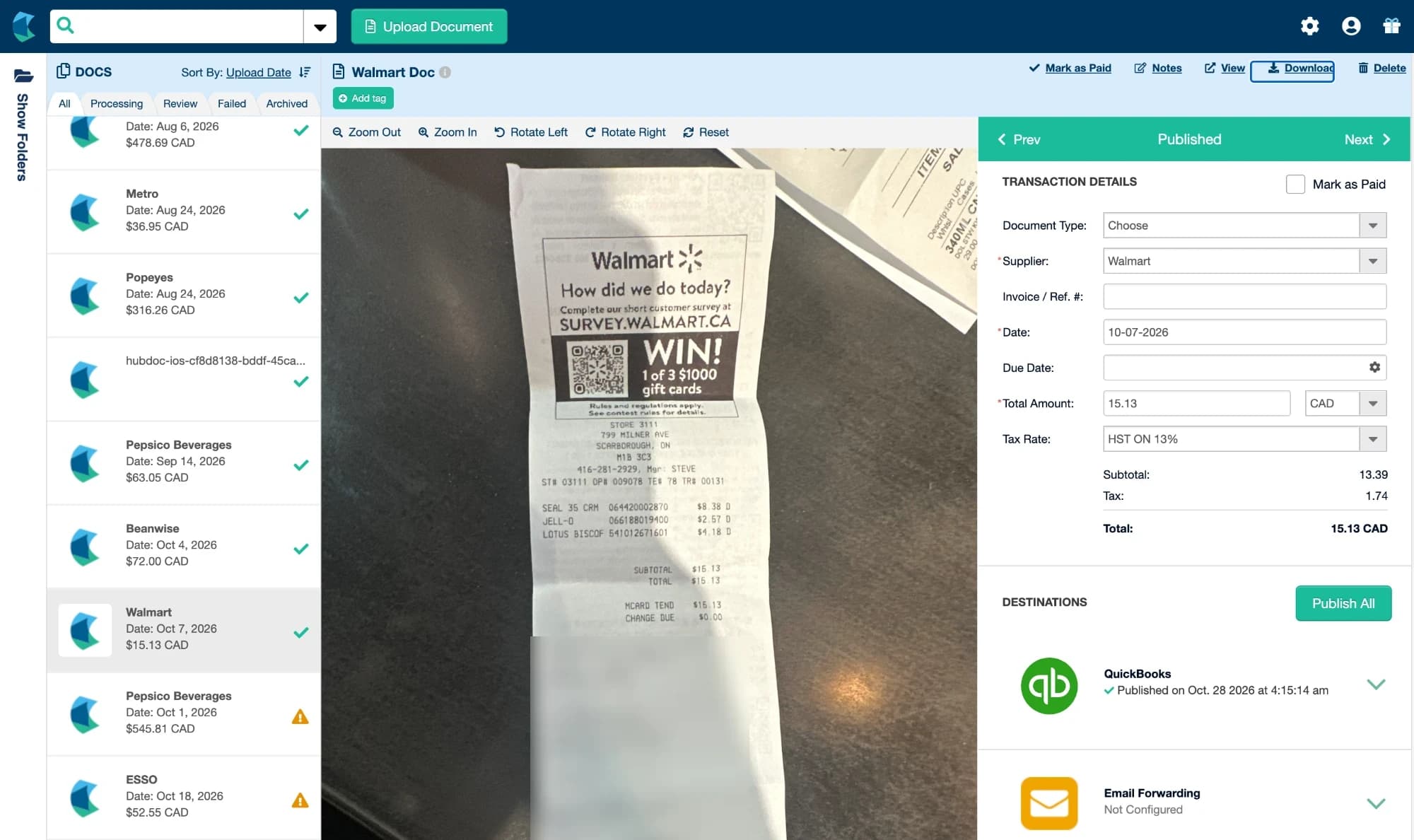
Hubdoc, a separate app that published documents out to the books.
After
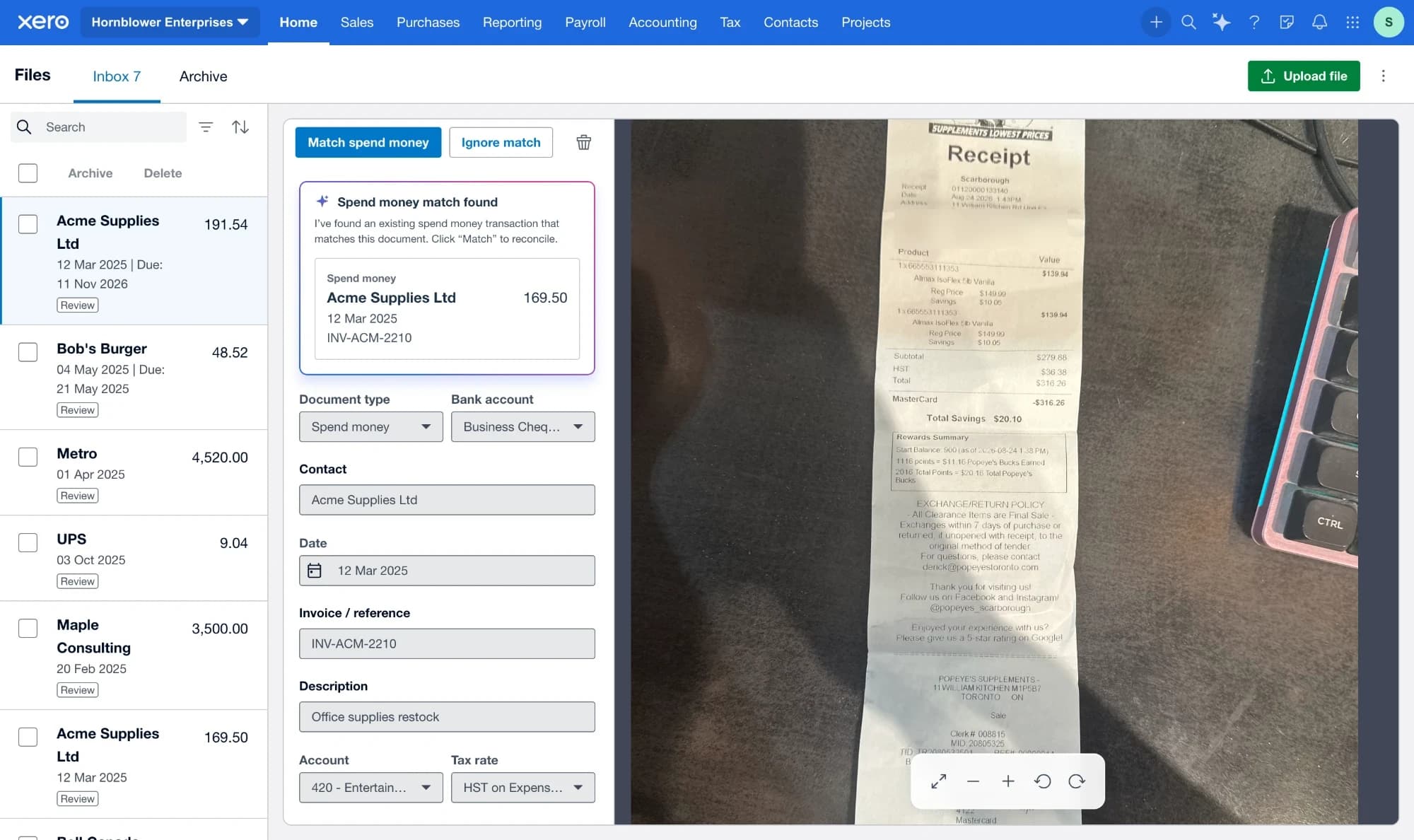
Capture inside Xero, with the match already found.
Outcomes and how it shipped
March 2026
UK, 100% live
4 June
North America and rest of world
6 July
Australia and New Zealand open beta, then everywhere
September
Renamed Documents, moved into the Accounting menu
October
Homepage widget
Millions
Documents uploaded a month
More than 2×
Uploads turned into transactions
Global
Live in every region in 2026
CUSTOMER QUOTES
“Data extraction looks really good though, picking up payment method, descriptions etc.
“The new files experience is great to see. We will be recommending this to our clients going forward.
“As much as I love some 3P tools, having it within Xero will streamline doc management for us.
Looking back
After launch, people acted on far more of the documents they uploaded.
I designed capture inside Files, which sat in the organization menu. Bookkeepers work in Accounting, so after launch they couldn’t find it. The team has since moved it there.